Convert anything on your Mac by dragging it.
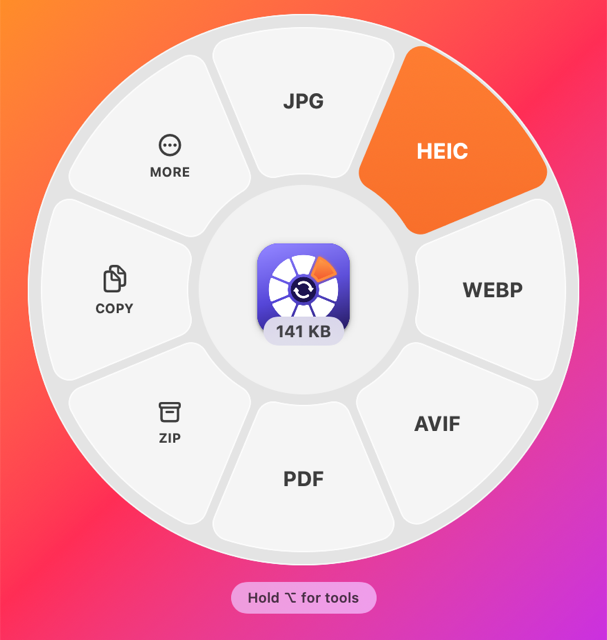
Hold ⇧ while you drag a file and a wheel of formats opens around your pointer. Drop it on one and the converted copy lands right beside the original. No window to open, no upload, no account.
Apple Silicon and Intel · 3 MB · Open source (MIT)
Formats with ⇧, tools with ⌥⇧
- 01
Start dragging, press Shift
From Finder, the desktop, anywhere. The wheel opens around your pointer with the formats that make sense for that file, and the centre shows its size. Several files or a folder? It shows their total.
- 02
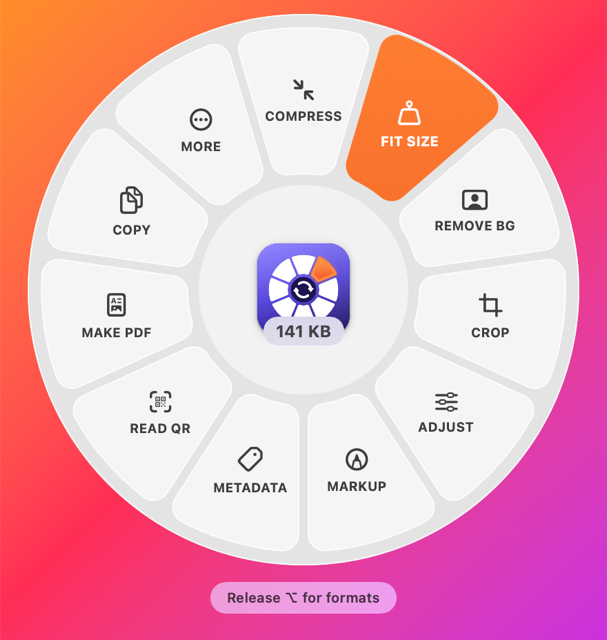
Add Option for tools
Compress, crop, trim, remove a background, read metadata. Press or release ⌥ mid-drag to switch between formats and tools.
- 03
Drop on a petal
A small progress window shows the job, then Finder shows the result next to the original. Your file is never changed.
What it converts
Tools for the file you are holding
Edit
Crop with aspect presets, adjust exposure, contrast, warmth and more, mark up with arrows, boxes and text, pixelate or black out, remove the background.
Shrink
Compress images, video, audio and PDFs, or fit them to an exact size like 2 MB for an upload form.
Cut
Trim, split, snapshot a frame, crop video, change speed, mute, join, normalise loudness, mono or stereo.
Arrange
Reorder, rotate and delete pages, split into pages, merge several, build a PDF or collage from images.
Metadata
See every field with GPS location flagged, edit title, author and copyright, or strip it all before you share.
Size & checksums
The true size of files and folders, largest first, plus MD5 and SHA checksums with a paste-to-verify box. Read QR codes too.
Install in a minute
- 01
Download and drag to Applications
Elconvo.dmg always points at the latest version.
- 02
Allow it once
Elconvo is not signed with an Apple Developer ID yet, so macOS stops it the first time. Open System Settings ▸ Privacy & Security, scroll down and click Open Anyway.
- 03
Let it start at login
It lives in the menu bar, so the wheel is there whenever you drag. Updates: menu bar icon ▸ Check for Updates.
Free, and made by one person
Everything runs on your Mac. Files, photos and their metadata are never uploaded. If Elconvo saves you time, a coffee on Ko-fi keeps it going. The app asks once a month whether you like it, and stops for a year once you have donated.