Every window where you want it.
Everything Rectangle does, from the keyboard or by dragging to a screen edge. Plus what Windows does: cascade, side by side, and your marked windows laid out in the order you choose, on the screen you pick. Hold ⌃⌥ and scroll to flip through every open window.
Apple Silicon and Intel · 1 MB · Open source (MIT) · lives in the menu bar
Pick the windows, their order, the screen
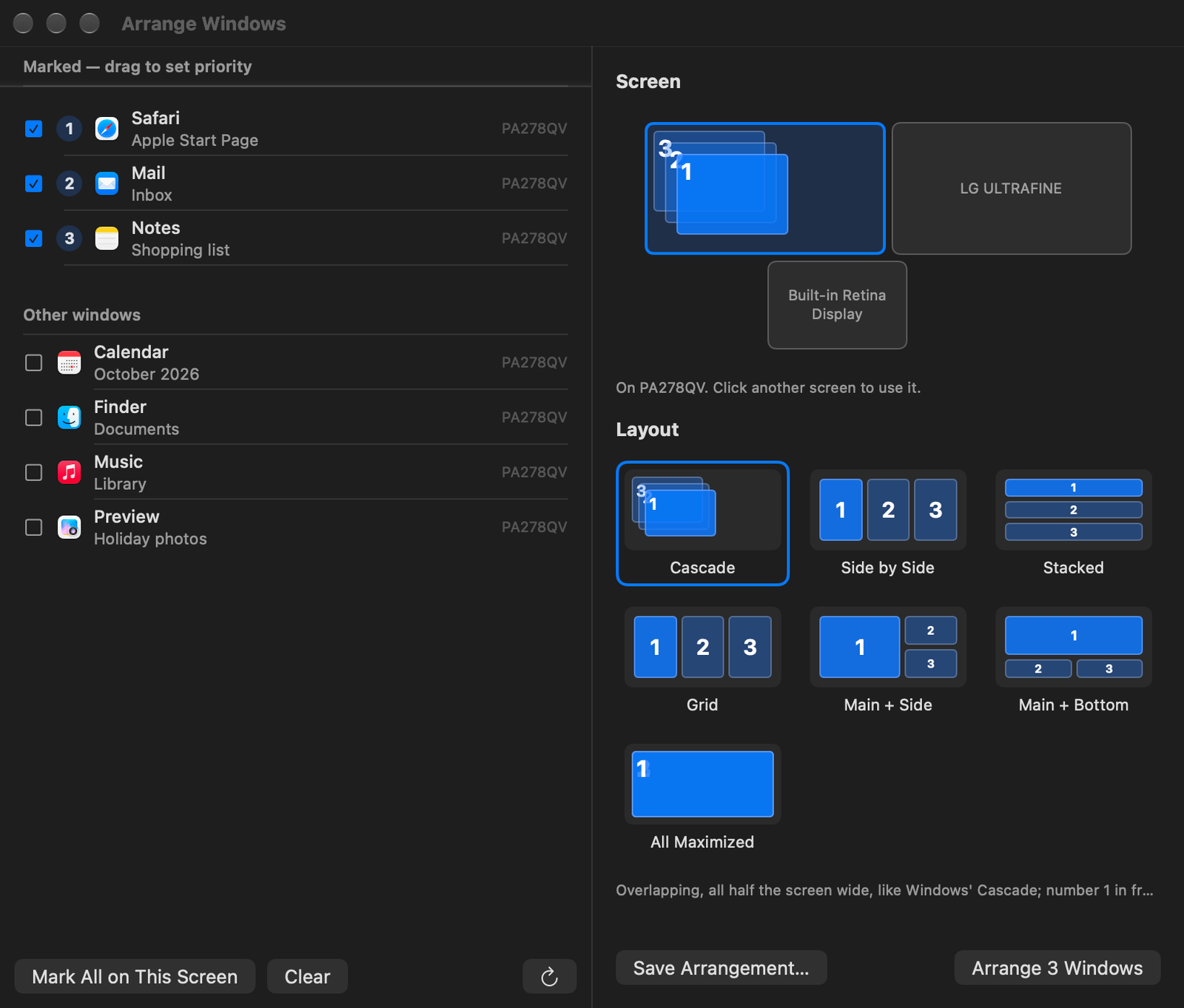

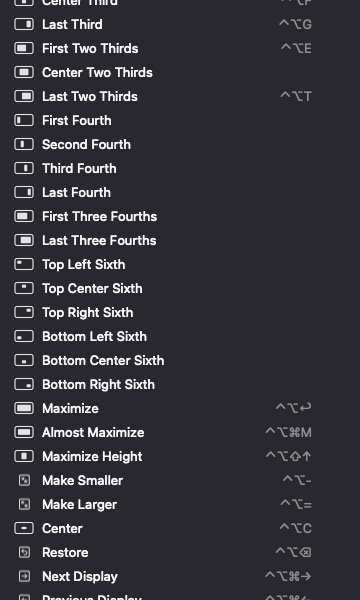
Rectangle's toolkit, and Windows' habits
Install in a minute
- 01
Download and drag to Applications
Elrange.dmg always points at the latest version.
- 02
Allow it once
Elrange is not signed with an Apple Developer ID yet, so macOS stops it the first time. Open System Settings ▸ Privacy & Security and click Open Anyway.
- 03
Two switches
Accessibility, so it can move windows (it doesn't read what's in them), and Screen Recording, only for the switcher's previews. Elrange shows you where.
Free, and made by one person
Inspired by Rectangle and by Windows. If Elrange tidies up your screens, a coffee on Ko-fi keeps it going.