Elingo · free Mac app · macOS 26 or later
Fill in a form you can't read.
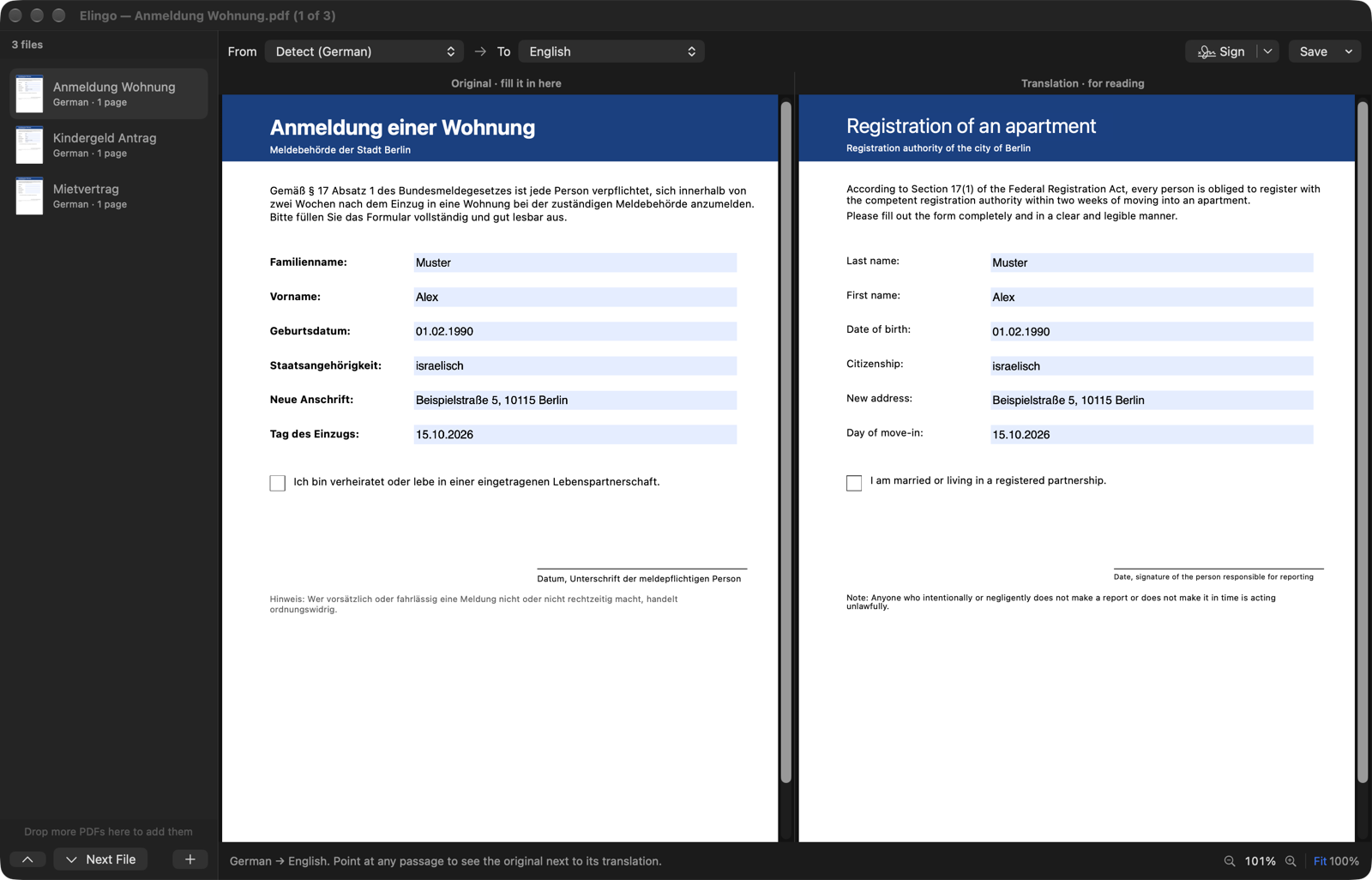
Open a PDF in German, French, Japanese or any of about fifty languages. Fill it in on the left; on the right, the same pages appear in your language, every label next to its own field. Then sign it and save it locked, ready to send.
Apple Silicon and Intel · 1 MB · Open source (MIT)
01 · At a glance
The form, and the form in your language

02 · What it does
Everything a foreign form needs
MirrorEach passage is translated in its own place, on the page's own colours. What you type on the left shows on the right too, and both sides scroll and zoom together.
Point to comparePoint at any passage on either side to see the original next to its translation.
LanguagesThe document's language is detected; pick yours from about fifty. Apple's translation, on your Mac: nothing is uploaded. Scanned pages are read with on-device text recognition.
Many filesOpen a stack of PDFs: one window, a file list, all translating at once. ⌘] and ⌘[ move between them; drop more onto the list.
SignDraw your signature or type your name, click where it goes, drag to move or resize.
SaveSigned & Locked bakes your answers and signature into the pages and protects the file against changes. Or keep it editable, or save the translation for your records.
The signature is a picture with an edit lock, like signing a printout, not a certificate-based digital signature. With Elconvo installed, Elingo is also its Translate tool.
03 · Install
Install in a minute
- 01
Download and drag to Applications
Elingo.dmg always points at the latest version. Needs macOS 26 or later.
- 02
Allow it once
Elingo is not signed with an Apple Developer ID yet, so macOS stops it the first time. Open System Settings ▸ Privacy & Security and click Open Anyway.
- 03
Drop in a PDF
Pick your language at the top. A language you haven't used before downloads once; macOS asks first.
Support
Free, and made by one person
Your documents never leave your Mac. If Elingo saves you an afternoon with a form, a coffee on Ko-fi keeps it going.