Elmenu · free Mac app · macOS 14 or later
The menus, on the window.
On Windows, File, Edit and View sit on each program's own window. Elmenu brings that to the Mac: the menus of the app you're in, attached to its window, following it as it moves. They're the app's real menus, so everything works as it does at the top of the screen.
Apple Silicon and Intel · under 1 MB · Open source (MIT) · lives in the menu bar
01 · At a glance
Every app's menus, where your eyes already are
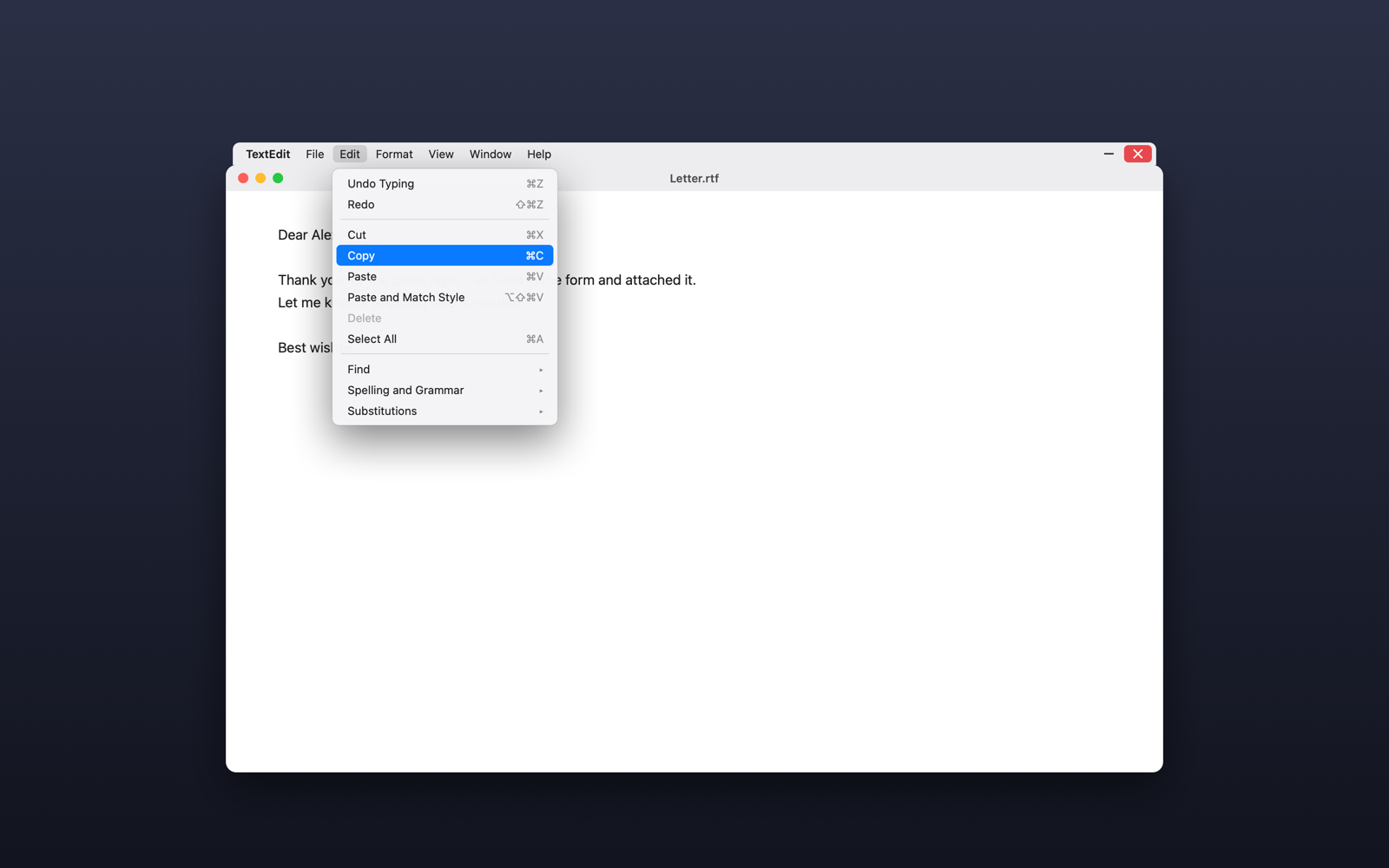
Real menusRead fresh each time you open one: enabled items, checkmarks, shortcuts and lists like Open Recent are current, and choosing an item does exactly what it does at the top of the screen.
Like a menu barWith one menu open, point at another and it opens straight away.
Window buttons– minimises the window; ✕ quits the app the proper way, so unsaved work still gets its "save?" question. Drag the strip to move the window.
Its coloursOptional: the strip takes the colour of each window's own title bar.
Your wayAbove the title bar or under it, hidden for apps you choose, open at login.
02 · Install
Install in a minute
- 01
Download and drag to Applications
Elmenu.dmg always points at the latest version. Signed and notarized by Apple.
- 02
One switch
Allow Elmenu under Accessibility, once: that's how it reads and uses other apps' menus. Screen Recording is only for Match Window Colours.
Support
Free, and made by one person
Nothing is saved or sent anywhere. If Elmenu makes your Mac feel more like home, a coffee on Ko-fi keeps it going.