Elad Itzkin AI & Product Consultancy
Elxplorer · free Mac app · macOS 14 or later

A Mac file browser that works like Windows Explorer.

Cut and paste that actually moves files. Enter opens, F2 renames. An address bar you can type a path into. Search that looks where you are and finds what you typed. If Finder has ever made you sigh, this is for you.

Apple Silicon and Intel · 1 MB · Open source (MIT)

01 · At a glance

Explorer's habits, a Mac's polish

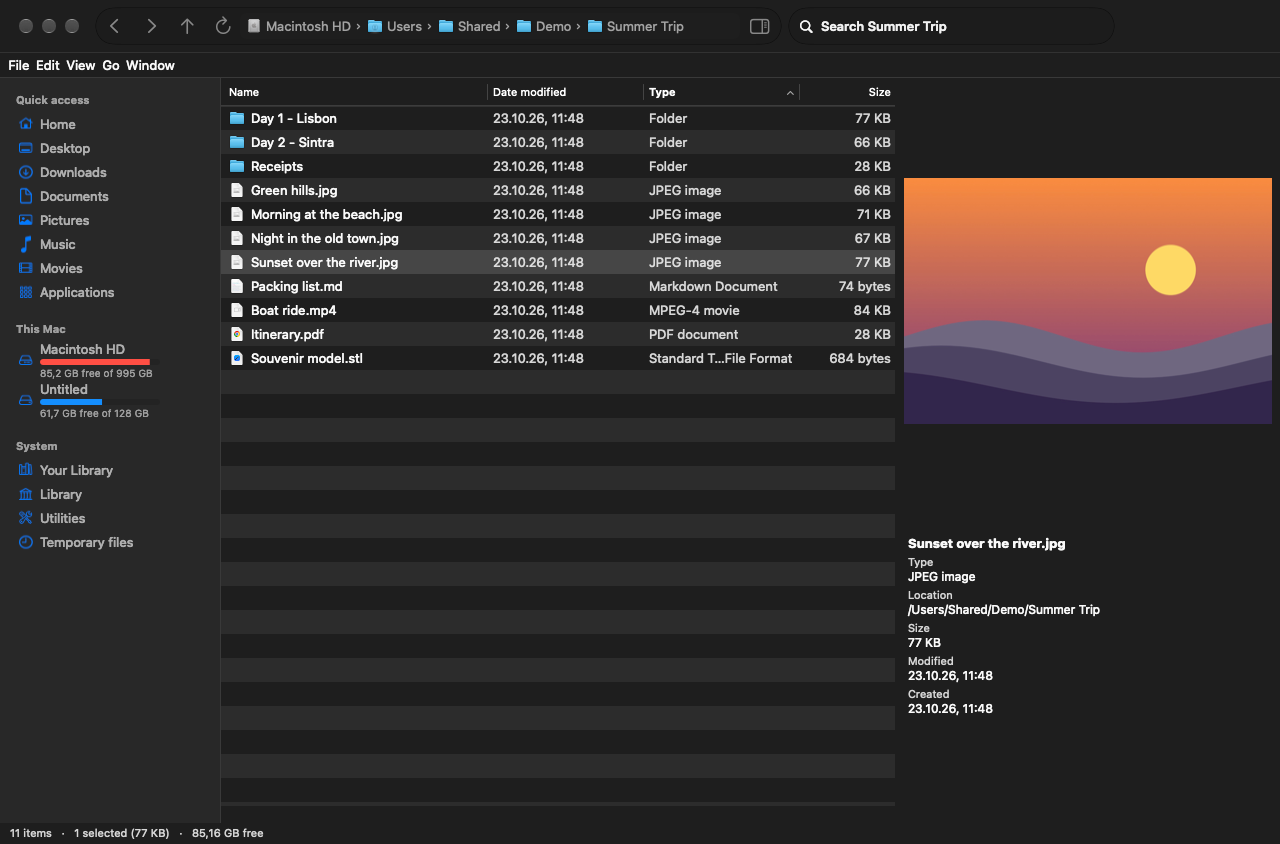
Elxplorer with a picture in the preview pane
Details view, sidebar with drives, preview pane
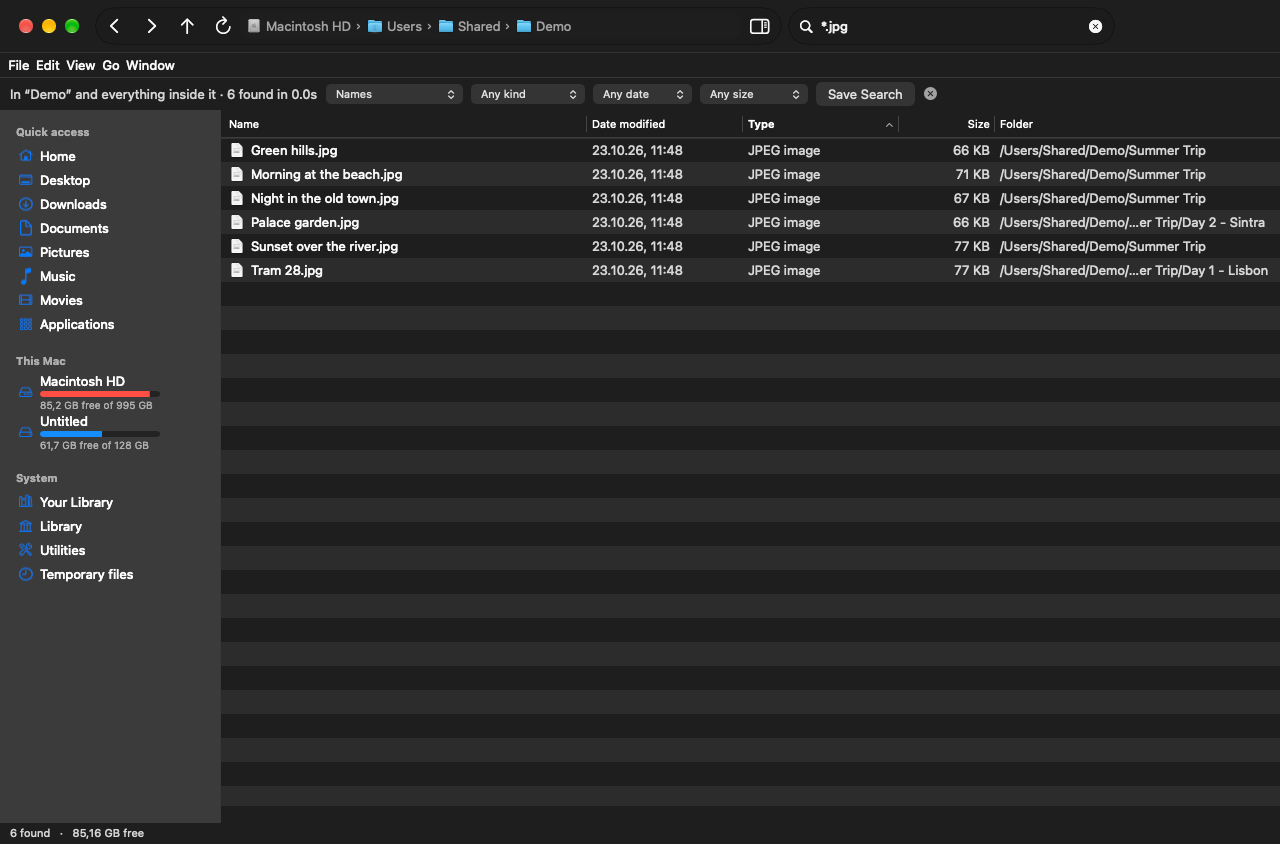
Searching for *.jpg in a folder and everything inside it
Search here and below, with filters
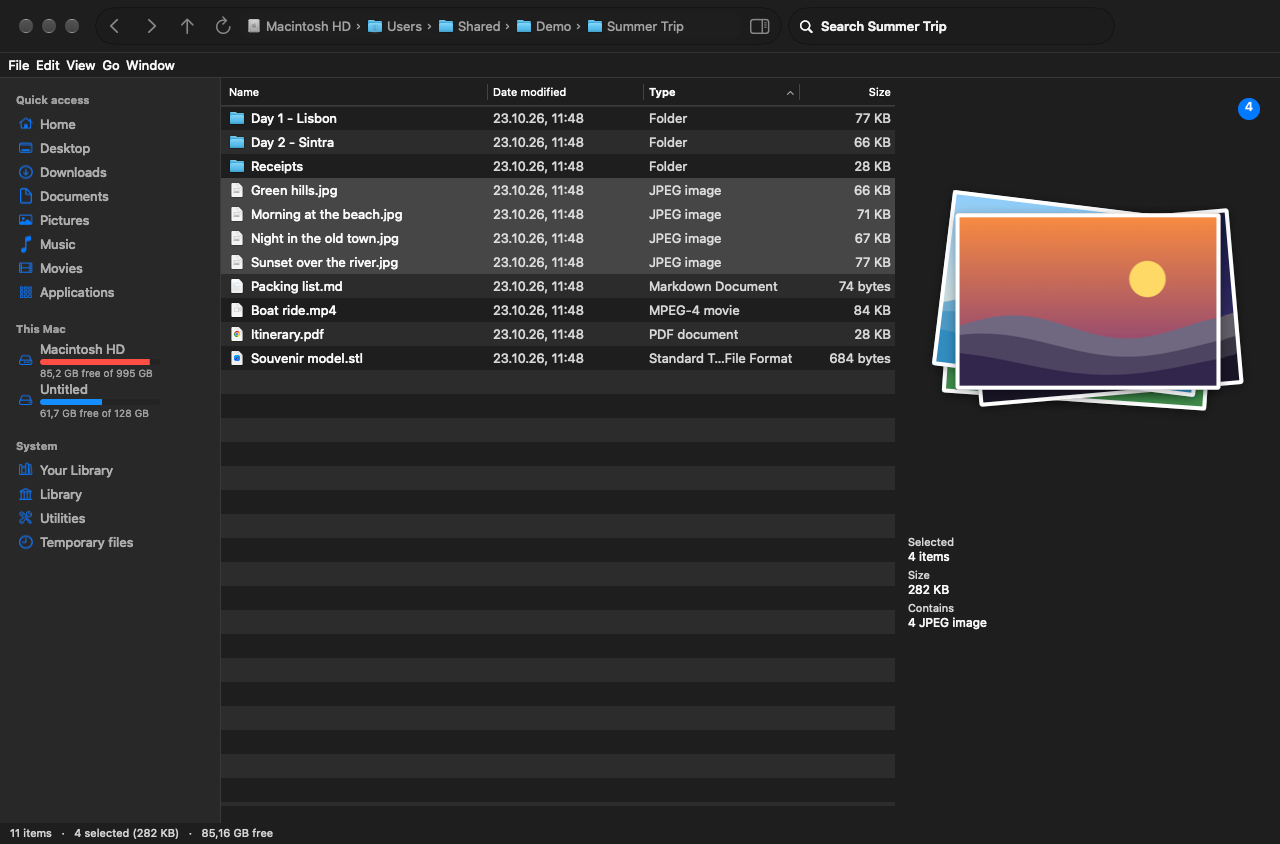
Several pictures selected, shown as a pile
Several selected: a pile, newest on top
02 · Finder, fixed

The ten usual Finder complaints, answered

SearchLooks in the folder you're in and everything inside it, by name, without depending on Spotlight. Says where it's looking, shows each result's folder, takes * and ? wildcards, filters by kind, date and size, and saves searches for later.
ViewsOne set of columns, sort order and view for every folder. They stay where you put them.
Basics⌘X ⌘C ⌘V cut, copy and move files. Enter opens, F2 renames, ⌫ goes back. New ▸ Text Document in the right-click menu.
Getting aroundBreadcrumbs that turn into a typeable path (⌘L, Tab completes). Back, Forward and Up. System and hidden locations one click away.
OrganisingSort by any column, group by type or date, pin folders to Quick access, and your Finder favourites come along.
Tabs & windowsOpening a folder that's already open reuses its tab. New windows open on the screen you're using. Tabs come back after a restart.
SpeedFolders load in the background and only the visible rows are drawn, so huge folders stay smooth. Folder sizes fill in as they're measured.
CustomisingA toolbar you can rearrange, an Explorer-style menu bar in the window, and a right-click menu with Copy as Path, Open in Terminal, Compress and Open With.
PreviewsA preview pane that opens by itself for pictures, video, audio, PDFs, text and code, and 3D models you drag to turn and scroll to zoom (STL, 3MF, OBJ, USDZ). Resizable, up to the width you choose.
DrivesCapacity bars like Explorer's This PC; hover for used and free space, right-click for More Info and Eject.
With Elconvo installed, right-click files to convert them or use its tools, or ⌥-right-click for its wheel.
03 · Install

Install in a minute

  1. 01

    Download and drag to Applications

    Elxplorer.dmg always points at the latest version.

  2. 02

    Allow it once

    Elxplorer is not signed with an Apple Developer ID yet, so macOS stops it the first time. Open System Settings ▸ Privacy & Security and click Open Anyway.

  3. 03

    One switch for all your folders

    When it offers Full Disk Access, click Open Settings, flip the switch and relaunch. That replaces macOS's separate prompts for Desktop, Documents, Downloads, iCloud Drive and every USB drive.

  4. 04

    Make it your default, if you like

    Elxplorer menu ▸ Make Elxplorer the Default File Browser: most apps' "Show in Finder" opens here. One click undoes it. macOS keeps plain folder opening, the desktop and the Trash with Finder.

Support

Free, and made by one person

Everything stays on your Mac. If Elxplorer makes your days with files a little calmer, a coffee on Ko-fi keeps it going.